Admin Portal of the Power BI is the key controller and one needs to understand the features, functionality, capabilities, and do’s and don’ts. So, here’s the post about the Admin Portal. There we go, let’s get started. Before that Power BI Administrator role will be renamed to Fabric Administrator 1. How to access the adminContinue reading “A-Z about Power BI Admin Portal (PL-300)”
Tag Archives: Power BI
Tits Bits from Power BI MVP Book (PL-300)
Recently, I read an amazing book – Power BI MVP Book: A book of Tricks and techniques for working with Power BI written by 21 MVP professionals from all around the world. The book has 21 chapters each written by 21 MVPs. Must read by all PL-300 aspirants. Here are the titbits from each chapter.Continue reading “Tits Bits from Power BI MVP Book (PL-300)”
User Interface Unveiled: Secrets to Mastering Power BI Desktop (PL-300)

Most of the time, you need to know/navigate what the menu is available and the list of options/ features underneath. Here’s the post just about the User Interface with screenshot on the Power BI Menu and a brief list of options under each. This will help anyone in the Pl-300 exam. Knowing is the beginningContinue reading “User Interface Unveiled: Secrets to Mastering Power BI Desktop (PL-300)”
Introduction to Power BI administration (PL-300)
Welcome to the world of Power BI – your gateway to unlocking the power of data visualization and analysis. Whether you’re just starting out in your professional journey or looking to level up your skills, diving into Power BI Administration can be a game-changer for your career. As a newcomer to this dynamic tool, youContinue reading “Introduction to Power BI administration (PL-300)”
User Interface of Power BI Service (PL-300)

When you learn any tool, it is foremost important to know the user interface of the tool. It will help you in many ways as listed below. This is my personal experience of learning. Here’s the post with just detailing the complete user interface of the Power BI Service. This post helped to know many hiddenContinue reading “User Interface of Power BI Service (PL-300)”
All about Prepare data for analysis with Power BI (PL-300)
All about Parameters (PL-300)
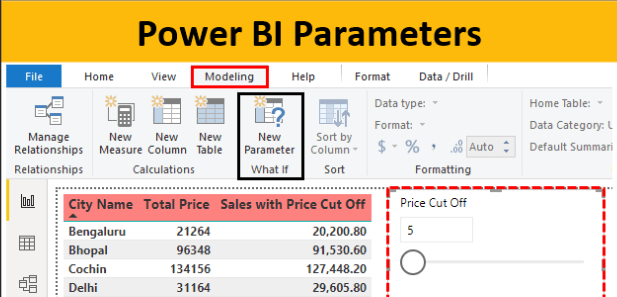
1. A parameter serves as a way to easily store and manage a value that can be reused. 2. Parameters give you the flexibility to dynamically change the output of your queries depending on their value, and can be used for: 3. Power Query provides two easy ways to create parameters: 5. You can alsoContinue reading “All about Parameters (PL-300)”
Foundation details about Modelling Data (PL-300)
Titbits of Information about Model data with Power BI from the Learning Path 1. Understanding the structure of semantic models can help you design the right model to support your reports and dashboards. A semantic model can be developed in many ways, yet one or several of those ways are more optimal. Optimal models areContinue reading “Foundation details about Modelling Data (PL-300)”
All about Power BI Service (PL-300)

Key pointers from the MS Learning path for PL-300 Manage workspaces and datasets in Power BI 1. Workspaces have the highest level of security maintained by controlling who can access semantic models, reports, and dashboards 2. By default, when creating a workspace, you provide the below basic details 1) Workspace Name 2) Workspace description 3)Continue reading “All about Power BI Service (PL-300)”
All about Build Power BI visuals and Reports (PL-300)
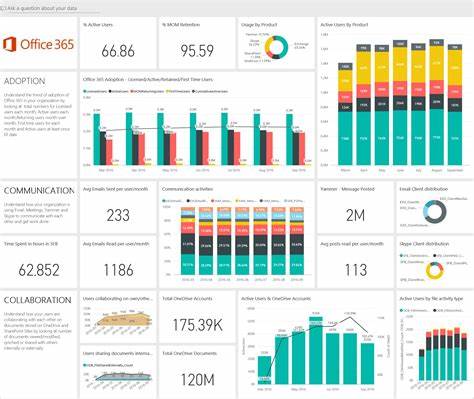
Key pointers from the MS Learning path for PL-300 Build Power BI visuals and reports 1. Goals while desiging the reports 2. An analyst is a person who provides guidance to the organization. Analysts can be responsible for a range of tasks, often with goals of determining the effectiveness of business strategies, developing or improving processes, orContinue reading “All about Build Power BI visuals and Reports (PL-300)”
 LR Virtual Classroom