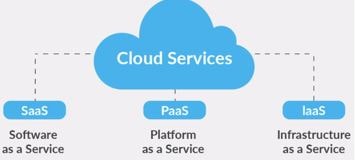
With continuation to the previous Cloud Deployment Models, let’s learn about the Cloud Service Models. There are three types of Cloud Service Models. They are IaaS, PaaS, SaaS.
To explain in simple words, imagine about hiring a car.
- Owning your own car is like On Premise model. You are responsible for end to end of the vehicle. For eg, from navigation, registration, insurance, driver, fuel, maintenance & upgrading etc.
- Renting a car is similar to Infrastructure as a Service model (IaaS). You have to manage rom navigation, registration, insurance, driver, fuel. Whereas maintenance & upgrading is not under your scope. It will be taken care by the provider.
- Taxi/Uber service is similar to Platform as a Service (PaaS). You are responsible for navigation, registration alone for the vehicle. Rest of the services like insurance, driver, fuel, maintenance & upgrading will be taken care by the provider.
- Travelling in a bus is like Software as a Service (SaaS). The provider is responsible from navigation, registration, insurance, driver, fuel, maintenance & upgrading etc. You simply use the vehicle and get off.
Similarly we can categorise the IT Infrastructure layers as shown below.
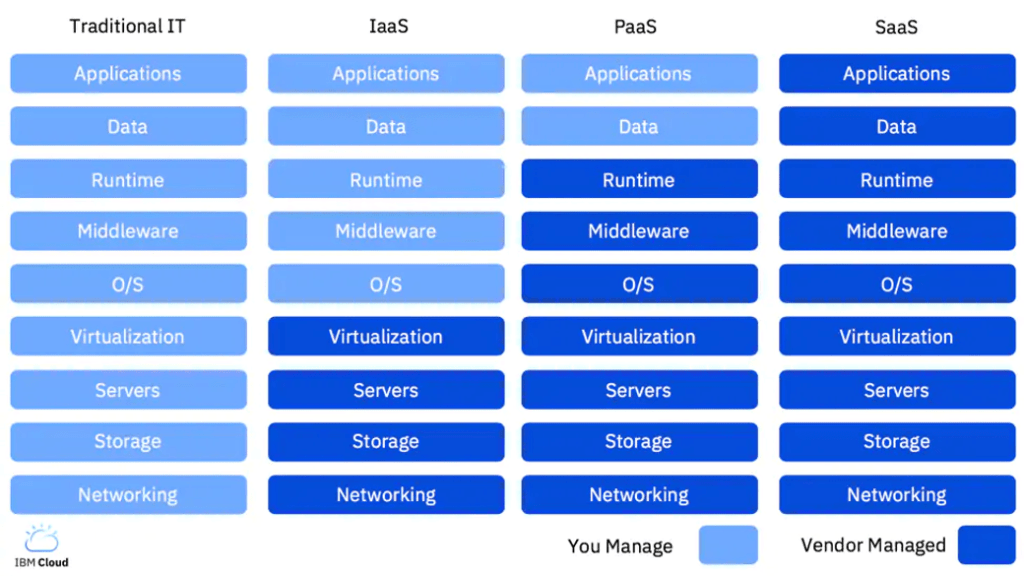
IaaS vs. PaaS vs. SaaS: Common Examples of Each
SaaS – Common example is a Gmail account. From Application to Networking is managed by Google. You just signup for an account and use it on the go. Other examples are all email, calendar, Office 365 products.
In simple words, software that’s available via a third party over the internet. You use the software by subscribing and paying the provider in accordance with their payment methods. SaaS apps do not consume any of your computer or hard drive space as they can be directly accessed through web browsers.
The common disadvantages of SaaS is inability to self customization and data security which is the greatest pitfall.
PaaS – It provides a platform to provide for developing, running and managing the Software applications. All from the servers to networking will be provided by the platform providers. PaaS is often the most cost-effective and time-effective way for a developer to create a unique application.
Common example is Salesforce. Developers don’t need to start from scratch and creating, testing and deploying add on applications that users can later integrate into Salesforce main application. Any platform updates, security patches and general maintenance will be responsible by the provider.
The only thing that differentiates the Saas to Paas is SaaS provides access to the software over the internet while PaaS provides a platform for software development.
The advantages of PaaS is offers customisation, scalable & cost effective. The disadvantages are again data security, limited technical capability by the provider, migration to another PaaS might be seamless.
IaaS – Gives complete control over the infrastructure. Pay-as-you-use model, so it’s cost effective. Providers provide cloud based storage, networking, and virtualization as an alternative to On-premises.
Iaas model provides a cloud server which acts as a host through which a customer can access service either through a dashboard or an application programming interface (API).
One example is AWS EC2 which provides scalable infrastructure for hosting cloud based applications. They provide virtual servers.
Advantages of this model are highly flexible and highly scalable. Cost effective as it is pay-as-use model. The main disadvantages is steep learning curve to manage the infrastructure on the own.
Hope this have given clear understanding about the different Cloud Service Models.
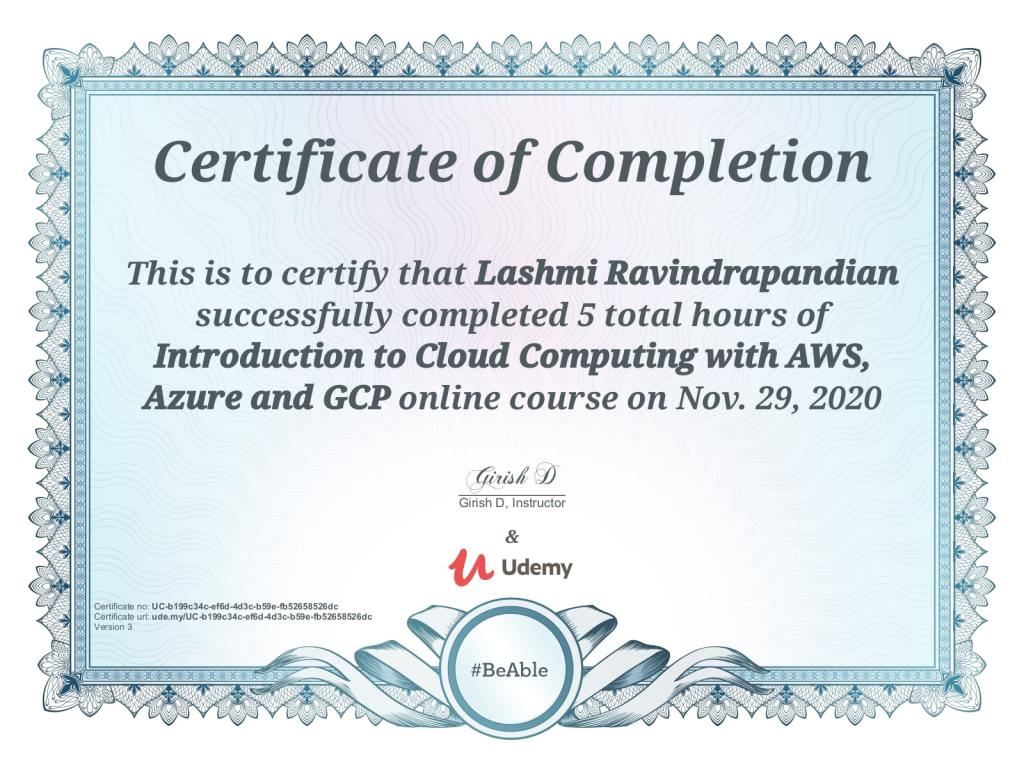
I strongly recommend to take the below course from Udemy, where the instructor has immensely explained the concepts in a simple way.
Addins (3) Advanced Excel (18) Agile (23) Blog (21) business (1) Clarity (3) Cloud Computing (3) Confluence (3) Dashboards (21) Data Analytics (17) Data modelling (9) DAX (17) Downloads (2) excel (1) GenAI (8) Jira (12) kanban (1) KPI (2) Loop (1) Motivation (3) MS Project (1) MS Teams (3) OneNote Tutorial (2) Outlook (1) PMO (72) Power BI (50) Power BI Dashboards (1) Power BI Desktop (28) Power BI service (2) Powerpoint (5) Power Query (3) Product Development (2) Productivity Tips & Tricks (59) project-management (4) Project Governance (2) Project Online (1) Ravindrapandian (1) Roadmap (2) scrum (5) scrum-master (2) Sharepoint Online (2) Smartsheet (5) Sway (1) Team Bonding (1)
Discover more from LR Virtual Classroom
Subscribe to get the latest posts sent to your email.
 LR Virtual Classroom