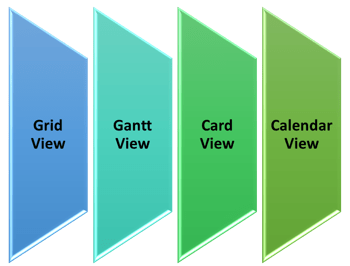
The most significant feature in the Smartsheet is the ability to view the sheets of Rows and Columns (Grid view) in three different forms – Cards , Gantt & Calendar view. Let’s see in detail. This post gives the overall features and functionality in each views. Don’t forget to checkout my other posts on Smartsheet here.
Features & Functionality of Cards View:
Functions of Cards View:
- Card View is one of the four ways to view your sheet in Smartsheet.
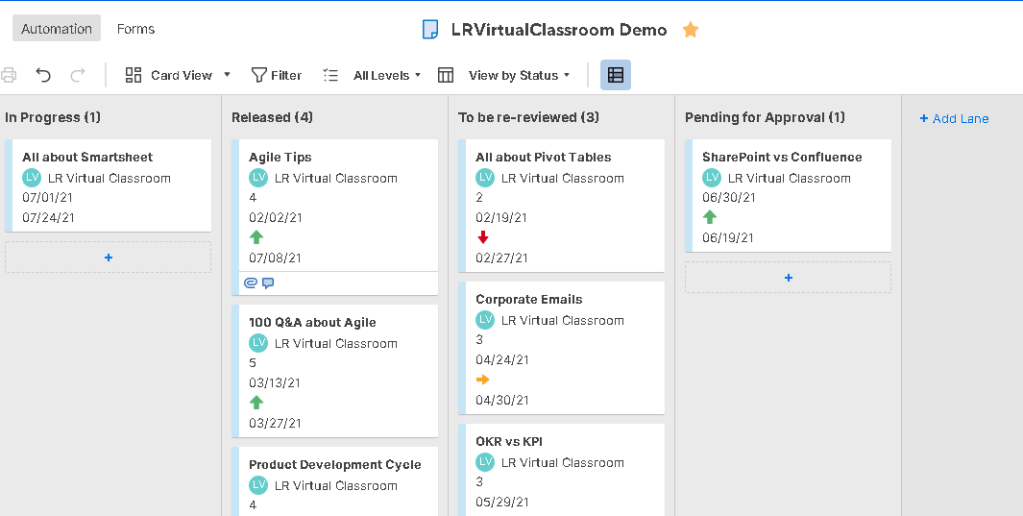
- It enables drag-and-drop of the cards so one can more easily prioritize work.
- Imagine this view as your Kanban board in agile project management methodology providing visual way to communicate and collaborate in Smartsheet.
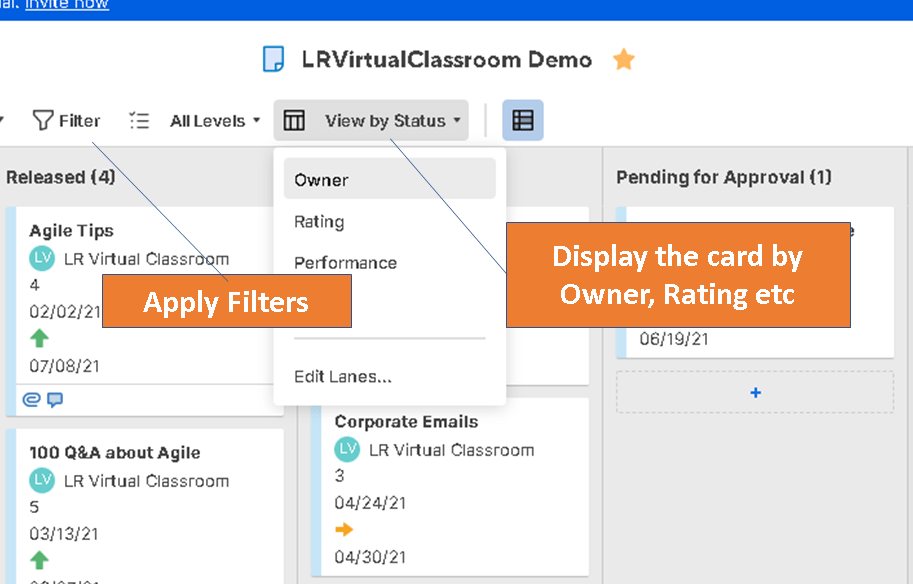
- Since the view helps to organize, it is typically driven by the fields like drop-down including symbols, rating, status, and contact list that offer multiple selections.
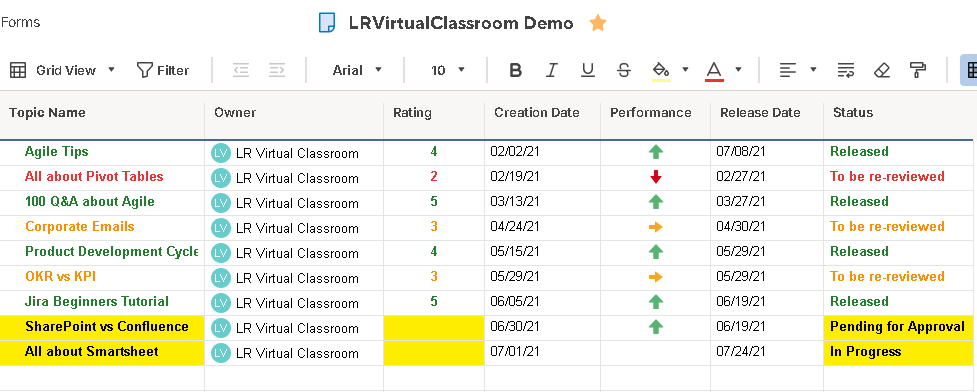
Below shows the comparison between GRID view and CARD view.
Features of Cards View:
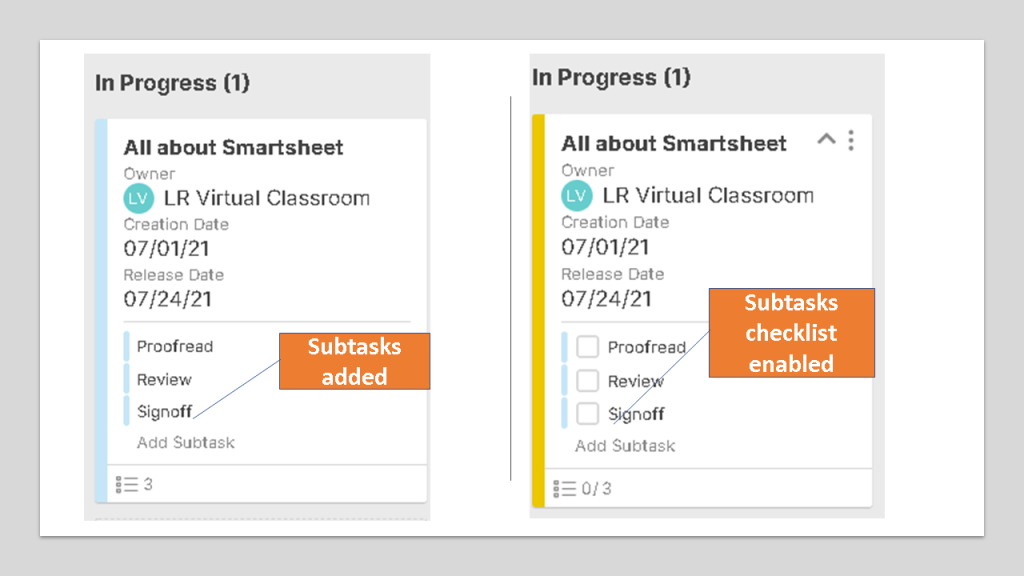
- You can arrange the cards based on various fields. Simple drag and drop works.
- Change the Color bar for a card
- Share a Card Via email to request an update
- Show or hide a lane
- Keep Cards organized with subtasks
- Config the permission level as Viewer, Editor, Admin & Owner.
Features & Functionality of Gantt View:
Functions of Gantt View:
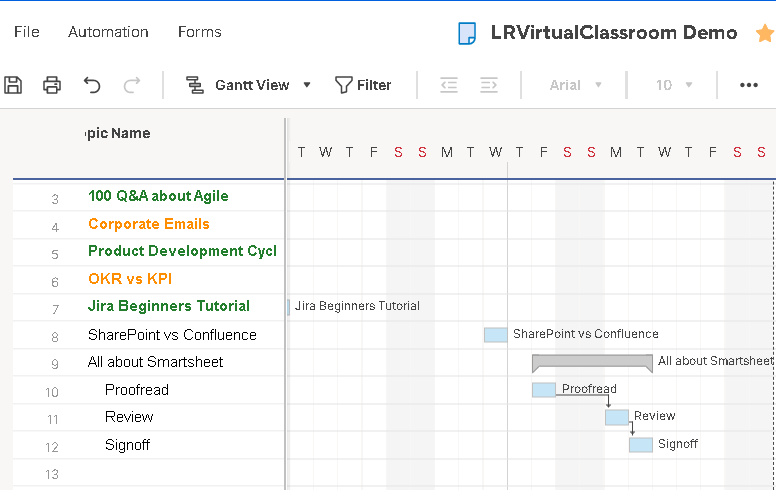
Gantt charts is a visual representation of your schedule and the relationships between tasks, just like in MS Project.
In order to use Gantt View, you must have at least two date columns in your sheet: a start date and an end date.
Features of Gantt View:
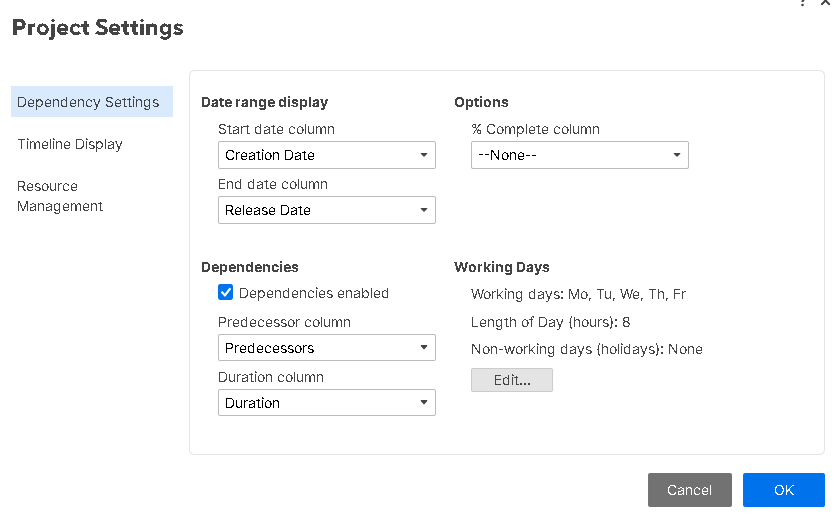
- You can see dependencies and track the relationship between tasks
- View the critical path of your project. Bar will be highlighted with Red border.
- Display the % complete of your tasks
- Use hierarchy to create summary rows
- Adjust the Primary and Secondary timeline displays
- Apply color to the Gantt Bars via conditional formatting
- Set Non working days
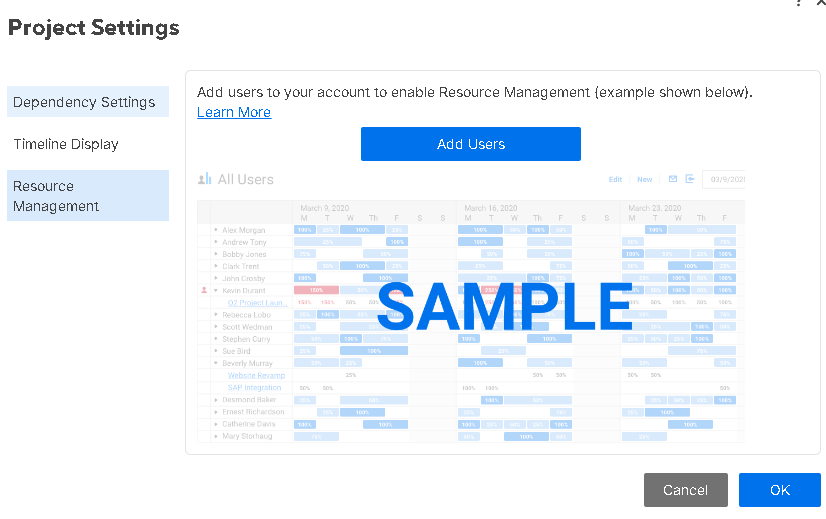
- Even add resources to the task and track it.
Features & Functionality of Calendar View:
Functions of Calendar View:
- It provides an interactive and easily customizable view of your work on a calendar.
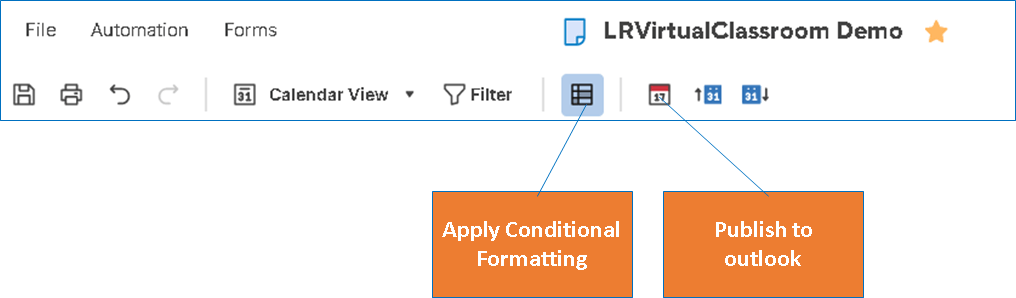
- It integrates with outlook calendar as well so that your own tasks are created in outlook.
- Calendar View is driven by the date column types in your sheet.
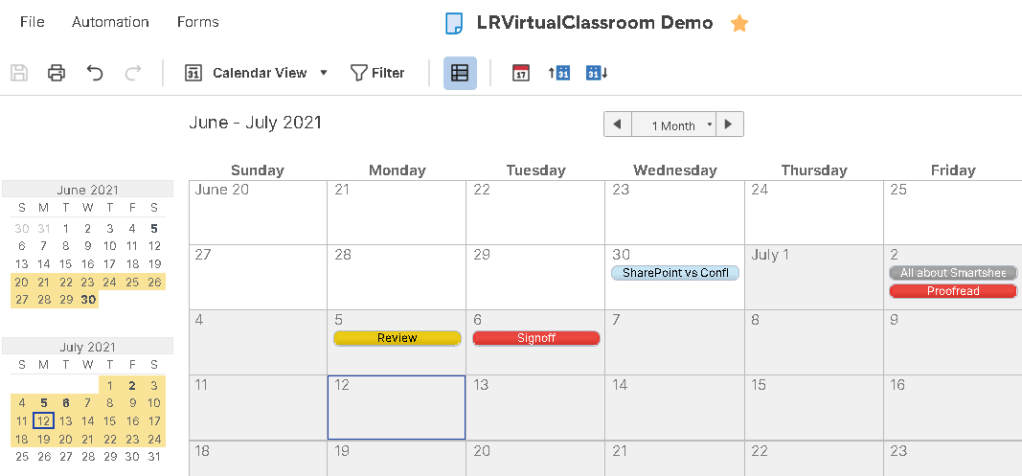
Features of Calendar View:
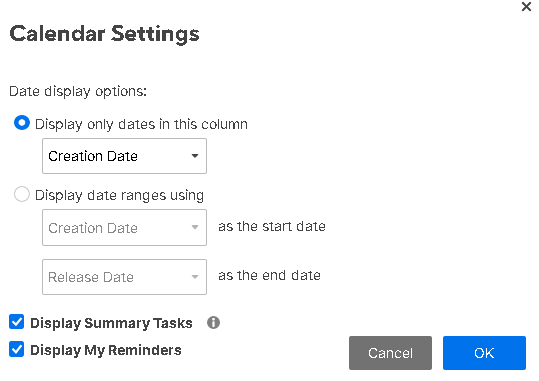
- There are few calendar settings which enables you to select the dates to display.
- You can unhide the subtasks and show only the parent task.
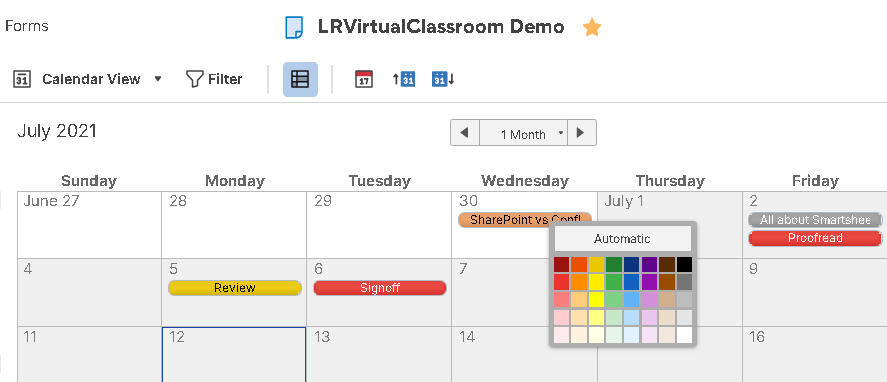
- You can apply color to tasks in calendar to differentiate.
- You can use the Conditional Formatting button on the toolbar to set up rules that automatically apply colors to Gantt and calendar bars based on criteria.
Check out the post on the advanced level features in Smartsheet.
Discover more from LR Virtual Classroom
Subscribe to get the latest posts sent to your email.
 LR Virtual Classroom