Beginner’s Tutorial
Being in PMO, you need to evolve as the technology & industry evolves. Here’s sharing the recent learning about Cloud computing which is gonna take you to the level of knowledge that you need in layman words.
For ease of understanding, I have divided this tutorial into several parts. Let’s get started.
It is no more the question “Whether we need to shift to cloud?” …Its all about “Which Cloud provider should I go ahead with What service & Why?…
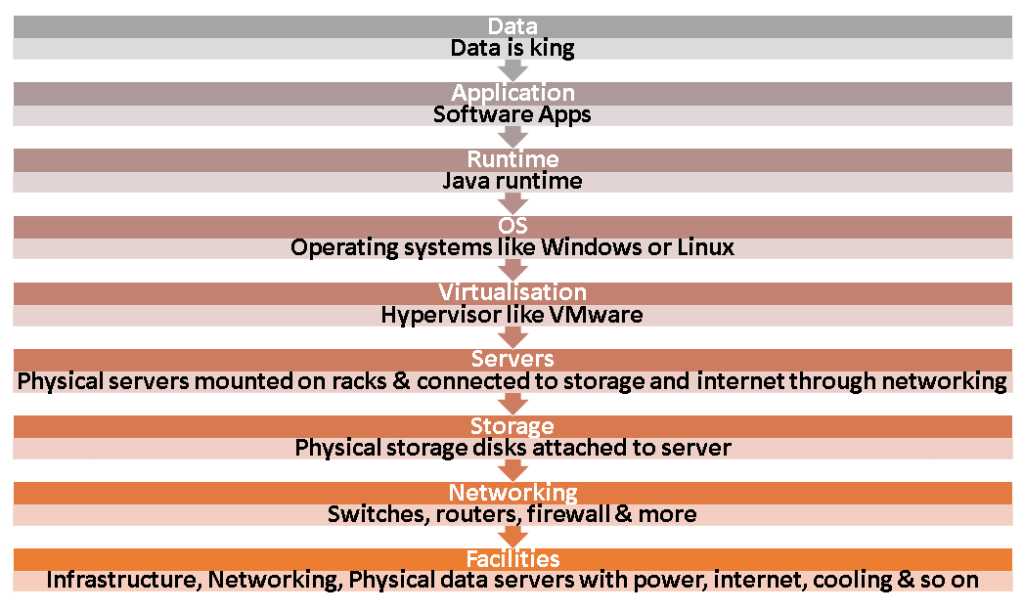
For you to understand Cloud, you need to first know & understand the IT Infrastructure layers. The below picture explains the flow.
Before talking about cloud, lets deep dive into Traditional IT Deployments.
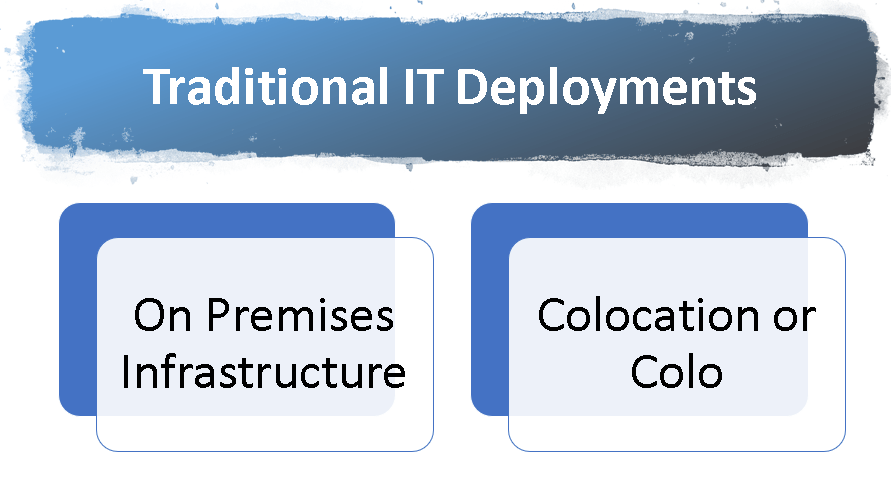
Traditional IT Deployments – 2 Types
- On Premises Infrastructure
- Colocation or Colo
1. On Premises Infrastructure
•All equipment is in your building (Space)
•All infrastructure is owned by you (Upfront Capex cost)
•New equipment will typically take over week to deploy (Deployment Time)
•Equipment requires technology refreshes & updates (Awareness)
•You need to consider redundancy – machine failures, replacement downtimes ( Overheads)
•All servers need power, space and cooling features (Additional equipment cost)
2. Colocation or “Colo”:
| Colo Provider’s Responsibility | Customer’s Responsibility |
| Rent Out The Facility (Space) For Customer’s Infrastructure As Per The SLA | Responsible For Infrastructure Like Servers, Storage And Networking Equipment Within The Colo Facility |
| Provides Power, Cooling & Physical Security To Customer’s Infrastructure | |
| Colo can support to provide Networking Options Through Networking Service Providers | The Connection Between Colo Facility And Your Offices Is Responsible By Network Service Providers |
Server Virtualization
Have you noticed the “Virtualization” in IT Infrastructure layers shown in above picture.
It is important to know the concept of Server Virtualization.
Server Virtualization is one of the enablers of Cloud Computing. It allows multiple customers share the underlying server hardware. It has been around a lot longer than cloud computing.
It started with the structure as depicted below:
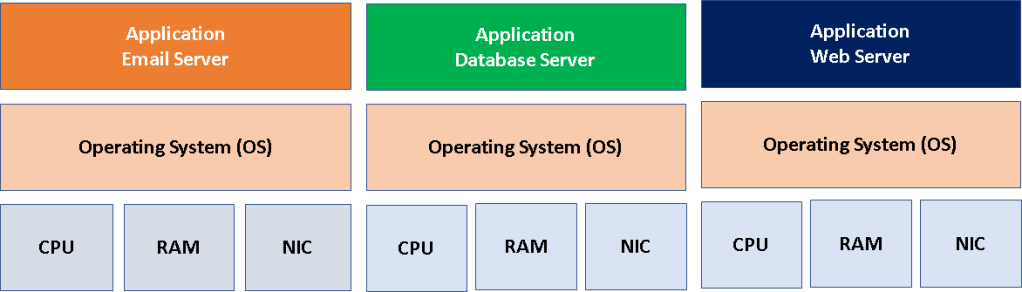
All these are Individual Servers Machines that is used for Email, Database, Web applications etc. Hence Separate Server cost, Individual power, cooling & space requirements
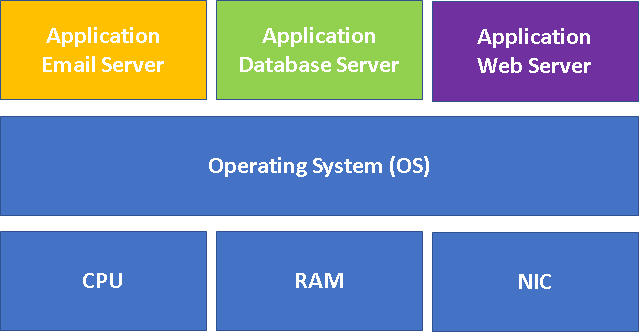
Then it moved on putting multiple applications on same OS which would improve utilisation but bad practice as failure in one application will impact the other.
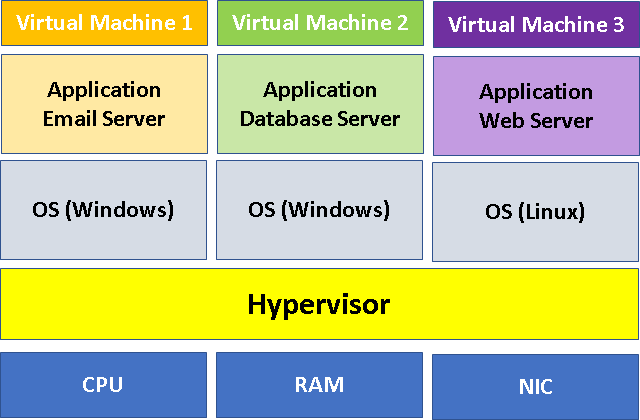
Hypervisor is the game changer for cloud computing. Virtualization helps to fulfill the promises of the Cloud Computing business model.
1.Hypervisor helps in running the multiple virtual machines by having all the OS/ servers connected together under one workstation as shown below.
2.Type 1 and Type 2. Type 1 hypervisors run directly on the system hardware. Type 2 hypervisors run on a host operating system.
3.VMware software is made for cloud computing and virtualization, and it can install a hypervisor on your physical servers to allow multiple virtual machines to run at the same time.
4. It helps in grouping physical storage devices into the single unit and thus run many different environments for hundreds of millions of users across the world.
Hope this helps in understanding the basic IT deployments.
Addins (3) Advanced Excel (18) Agile (23) Blog (21) business (1) Clarity (3) Cloud Computing (3) Confluence (3) Dashboards (21) Data Analytics (17) Data modelling (9) DAX (17) Downloads (2) excel (1) GenAI (8) Jira (12) kanban (1) KPI (2) Loop (1) Motivation (3) MS Project (1) MS Teams (3) OneNote Tutorial (2) Outlook (1) PMO (72) Power BI (50) Power BI Dashboards (1) Power BI Desktop (28) Power BI service (2) Powerpoint (5) Power Query (3) Product Development (2) Productivity Tips & Tricks (59) project-management (4) Project Governance (2) Project Online (1) Ravindrapandian (1) Roadmap (2) scrum (5) scrum-master (2) Sharepoint Online (2) Smartsheet (5) Sway (1) Team Bonding (1)
Discover more from LR Virtual Classroom
Subscribe to get the latest posts sent to your email.
 LR Virtual Classroom