Lets begin by looking at the difference between the two of the most commonly used DAX function Sum and SumX in Power BI. In Layman words, SUMX is the sum of an expression iterated row by row, but whereas SUM is just summarizing values of one single column. Lets deep dive in detail with examples.Continue reading “Sum vs SumX DAX”
Category Archives: Power BI
Date and Time Functions (Basic)
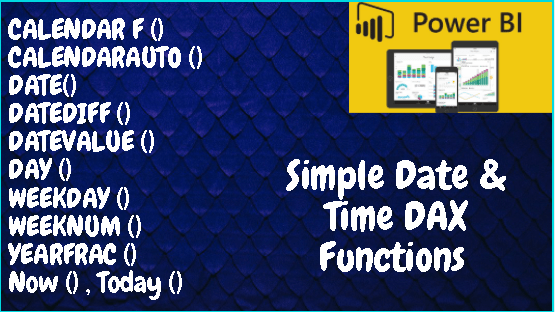
Date and Time Functions (DAX): Just like in MS Excel, there are a lot of similar DAX functions to work with Date and Time-related data in Power BI. They are very useful in many scenarios when dealing with data analysis or while representing dashboards using weeknum, quarter, or yearly data. Let’s explore the basic onesContinue reading “Date and Time Functions (Basic)”
Create Calendar Table in 6 easy steps

You cannot find a dataset without the field “Date”. It can be created date, approved date, ordered date etc. All the data revolves around time. So it is important to create calendar table first as part of your dataset in Power BI. You can use individual Date and Time functions in Power BI or useContinue reading “Create Calendar Table in 6 easy steps”
Row-level security (RLS) with Power BI Desktop
With Power BI Desktop, row-level security (RLS) may be utilized to limit data access for certain users. You can set filters within roles to restrict data access at the row level. Members of a workspace who have access to datasets in the workspace in the Power BI service will not have any impact by RLSContinue reading “Row-level security (RLS) with Power BI Desktop”
All about Cardinality

As we are aware of the fact and dimension table, it’s important to understand the relationship between the tables. It is where the cardinality comes into the picture. Cardinality is the directionality of a relationship, such as one-to-many, one-to-one, and so on. It describes the directionality between fact and dimension tables. Four Types of Cardinality:Continue reading “All about Cardinality”
Fact vs Dimension Table
The first and foremost concept you need to understand in Power BI is the difference between the Fact and Dimension table. Relationships are defined between tables through primary and foreign keys. Relationships between tables are formed when you have primary and foreign keys in common between different tables. Fact Tables (Foreign Key) Dimension Tables (PrimaryContinue reading “Fact vs Dimension Table”
5 Data Modelling Fundamentals
In this post, let’s understand the 5 important Data modeling fundamentals. They are the most important which one should focus as a beginner. If these are not understood enough, I repeat, it is important to get the basics right. Data and lookup tables & Primary and foreign keys Relantionship Cardinality Filter Flow Evaluation Context CommonContinue reading “5 Data Modelling Fundamentals”
How to Set Up Power BI Gateway

As you know, Power BI allows to connect various sources of data. One such data source is On premises data. It is important to configure the data gateway to enable the schedule refresh and stay updated with dashboard. Let’s recap the common sources of data import in Power BI as listed below: Sources of DataContinue reading “How to Set Up Power BI Gateway”
6 Types of Joins in Power BI

Relationships are defined between tables through primary and foreign keys. This is the important part of data modeling. As soon as you import the data, one of the major step is to define the relationship between the tables to further perform calculations & analysis. Relationships between tables are formed when you have primary and foreignContinue reading “6 Types of Joins in Power BI”
Merge & Append Queries

The ability to combine queries is powerful because it allows you to append or merge different tables or queries together. Why we need to Merge / Append queries? You can combine tables into a single table in the following circumstances: Too many tables exist, making it difficult to navigate an overly-complicated data model. You combineContinue reading “Merge & Append Queries”
 LR Virtual Classroom