As beginner, you need to know the very important concepts in Power BI ( not here to tell you the definition of the Power BI:) )
Step 1:
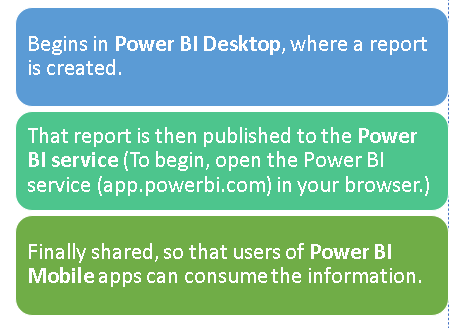
There are three important components in power BI:
1.Microsoft Windows desktop application called Power BI Desktop
2.an online SaaS (Software as a Service) called the Power BI Service
3.Mobile Power BI apps that are available on any device, with native mobile BI apps
Step 2:
1. Download Power BI Desktop (It’s FREE) — powerbi.microsoft.com
2. Sign up Power BI online account for accessing Power BI Service using your Gmail / hotmail (app.powerbi.com) — https://docs.microsoft.com/en-us/power-bi/fundamentals/service-self-service-signup-for-power-bi
3. Download Power BI Mob application after login in the Power BI Service
Step 3:
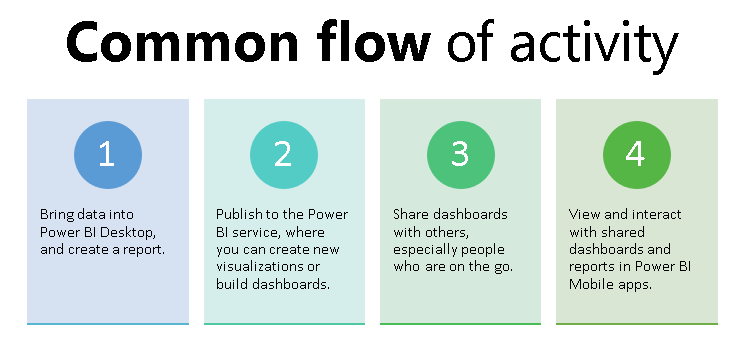
Understand the common flow of activity that happens in Power BI Desktop , Service & Mobile App.
Step 4:
You should know the Building blocks of Power BI:
- Datasets-A dataset is a collection of data that Power BI uses to create its visualizations. Datasets can also be a combination of many different sources.
- Tiles-Atile is a single visualization on a report or a dashboard. It’s the rectangular box that holds an individual visual.
- Visualizations-is a visual representation of data, like a chart, a color-coded map, represent your data visually.
- Reports- A report is a collection of visualizations that appear together on one or more pages.
- Dashboards- When you’re ready to share a single page from a report, or a collection of visualizations, you create a dashboard.
Step 5:
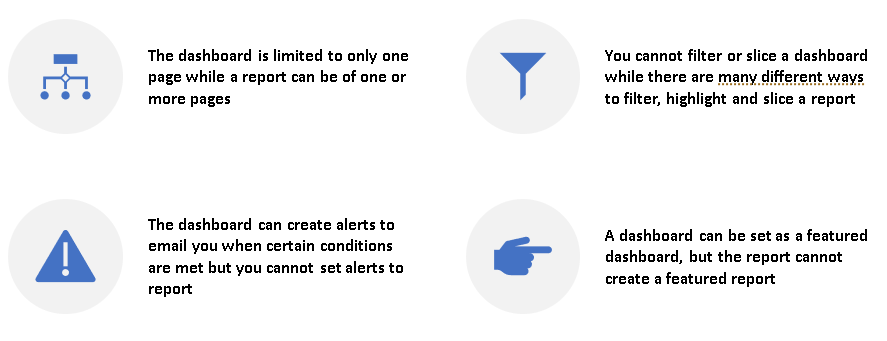
Dashboard vs Report — All you need to know
Step 6:
Know the Key Advantages of Power BI
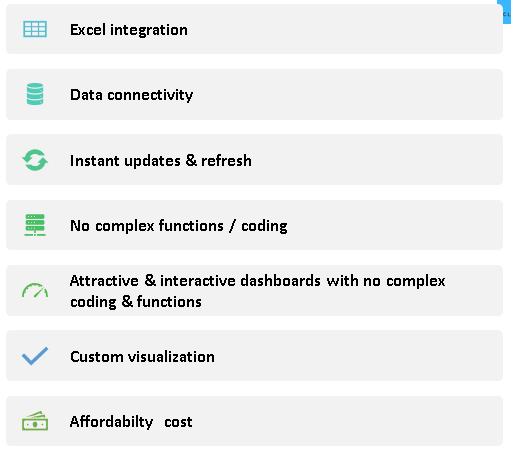
This is basic introduction about the Power BI.
Hope you found the post informative. Your valuable feedback, question, or comments about this post are always welcome by leaving me message on contact form is truly appreciated.
Addins (3) Advanced Excel (18) Agile (23) Blog (21) business (1) Clarity (3) Cloud Computing (3) Confluence (3) Dashboards (21) Data Analytics (17) Data modelling (9) DAX (17) Downloads (2) excel (1) GenAI (8) Jira (12) kanban (1) KPI (2) Loop (1) Motivation (3) MS Project (1) MS Teams (3) OneNote Tutorial (2) Outlook (1) PMO (72) Power BI (50) Power BI Dashboards (1) Power BI Desktop (28) Power BI service (2) Powerpoint (5) Power Query (3) Product Development (2) Productivity Tips & Tricks (59) project-management (4) Project Governance (2) Project Online (1) Ravindrapandian (1) Roadmap (2) scrum (5) scrum-master (2) Sharepoint Online (2) Smartsheet (5) Sway (1) Team Bonding (1)
Discover more from LR Virtual Classroom
Subscribe to get the latest posts sent to your email.
 LR Virtual Classroom