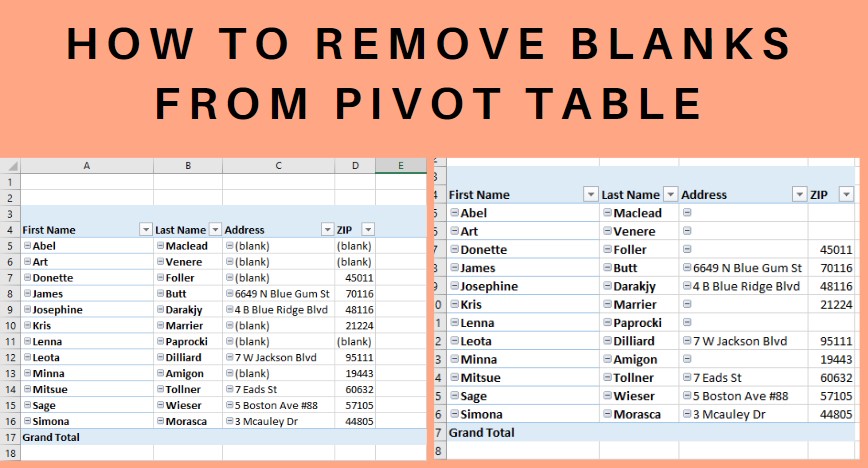
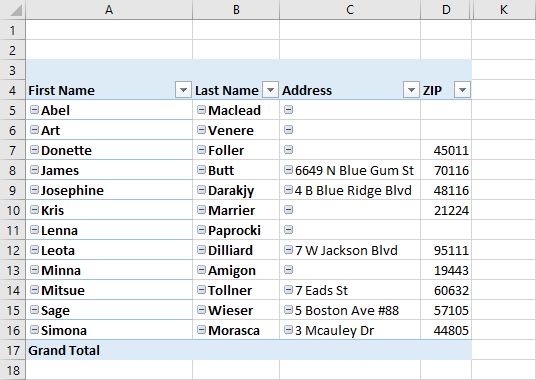
When there are blanks in the dataset, the pivot table also has cells with “blank strings” as below.
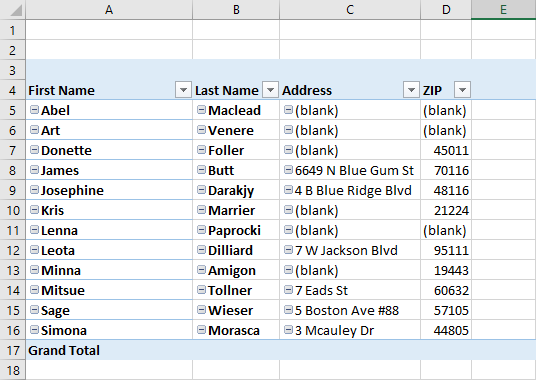
So, how to remove them. It is so frustrating to read the data right?
There is a solution for this. By using the conditional formatting function, you can eliminate the blanks as below.
- Select the entire pivot table ( Shortcut Ctrl+A)
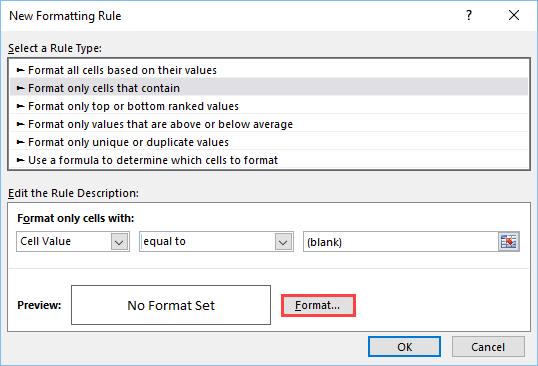
- Then select New Rule
- Click “format only cells that contain”
- Select the cell value as Blank
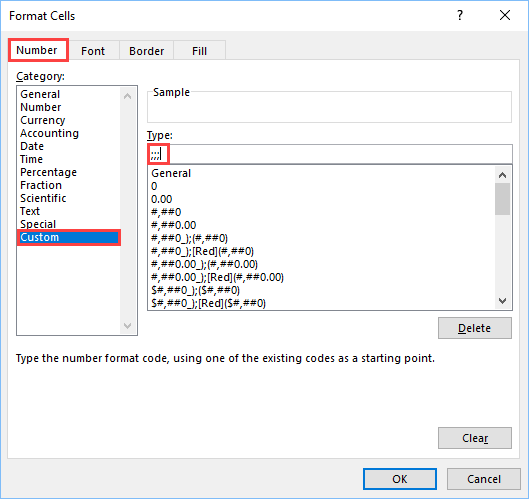
- Under Format tab, Type ;;; under custom formatting
- This rule will make the blank cells real blanks.
All the blank strings are replaced with blank cells as below.
Discover more from LR Virtual Classroom
Subscribe to get the latest posts sent to your email.
 LR Virtual Classroom