
Ever wanted to get the coolest looking icons in your PowerPoint slides? You don’t need to install any add-in!. Just with the in-built function, you can have many icons inserted to your dashboards and presentations.
The four fonts type which does this magic is
- Webdings
- Wingdings
- Wingdings 2
- Wingdings 3
Just type the char mentioned at the top and change the font type. Voila, you are done.
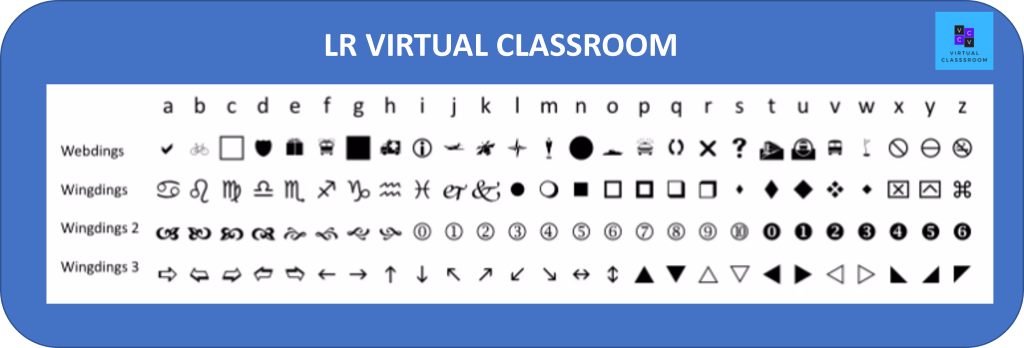
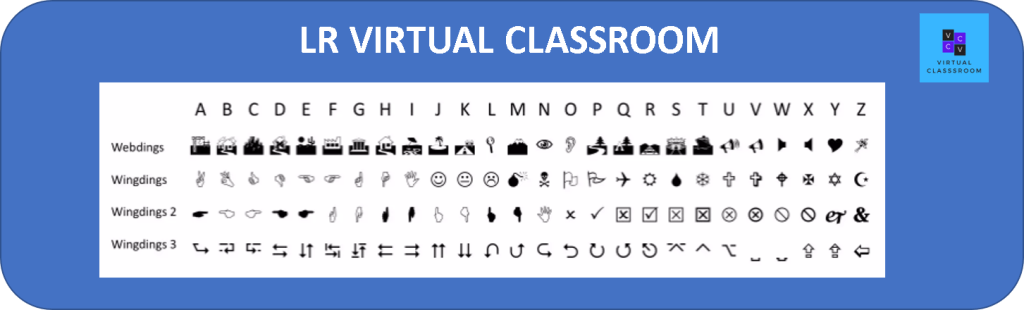
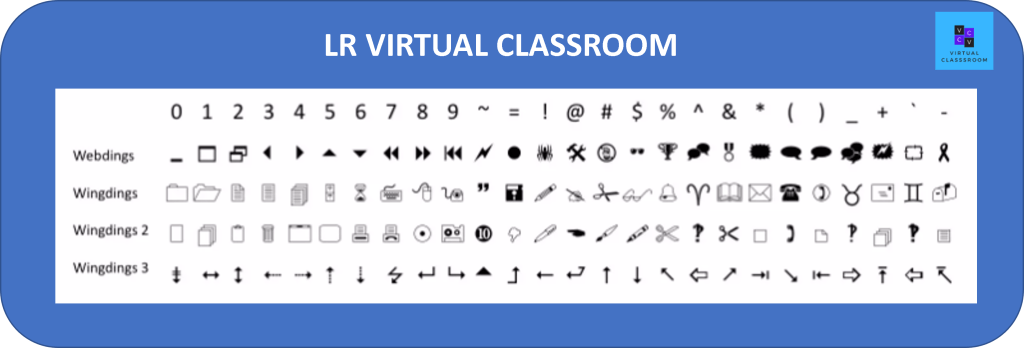
How cool is this right? 🙂
Discover more from LR Virtual Classroom
Subscribe to get the latest posts sent to your email.
 LR Virtual Classroom