
👤 Authored by Lashmi Bai Ravindrapandian
📅 Published on Jul 18, 2026
I started LR Virtual Classroom in 2020.
For years, I have been doing almost everything on the website myself. Slowly. Manually. Learning one thing at a time.
WordPress admin, Hosting, SEO, plugins, Google Site Kit, Google Analytics, … all of it became part of running the website.
Unlike the Abacus Practice Test project, for this project, I know each and every CSS script, every plugin, every metadata, every snippet, every tool, every connector and every element of WordPress admin.
So the direction was still mine. Mr. Claude just helped me move faster.
My first learnings with Mr. Claude
- Started with something real. My own website became the best place to learn Claude Code.
- You don’t need to know everything first. I learned while actually doing the work.
- Explain the problem, not the technical solution. I could simply say what I wanted.
- AI can build faster, but I still needed to test and decide what worked.
- Some things that earlier took weeks of searching took just a few hrs.
- AI made the technical wall feel like a bridge.
What I have been managing manually since 2020
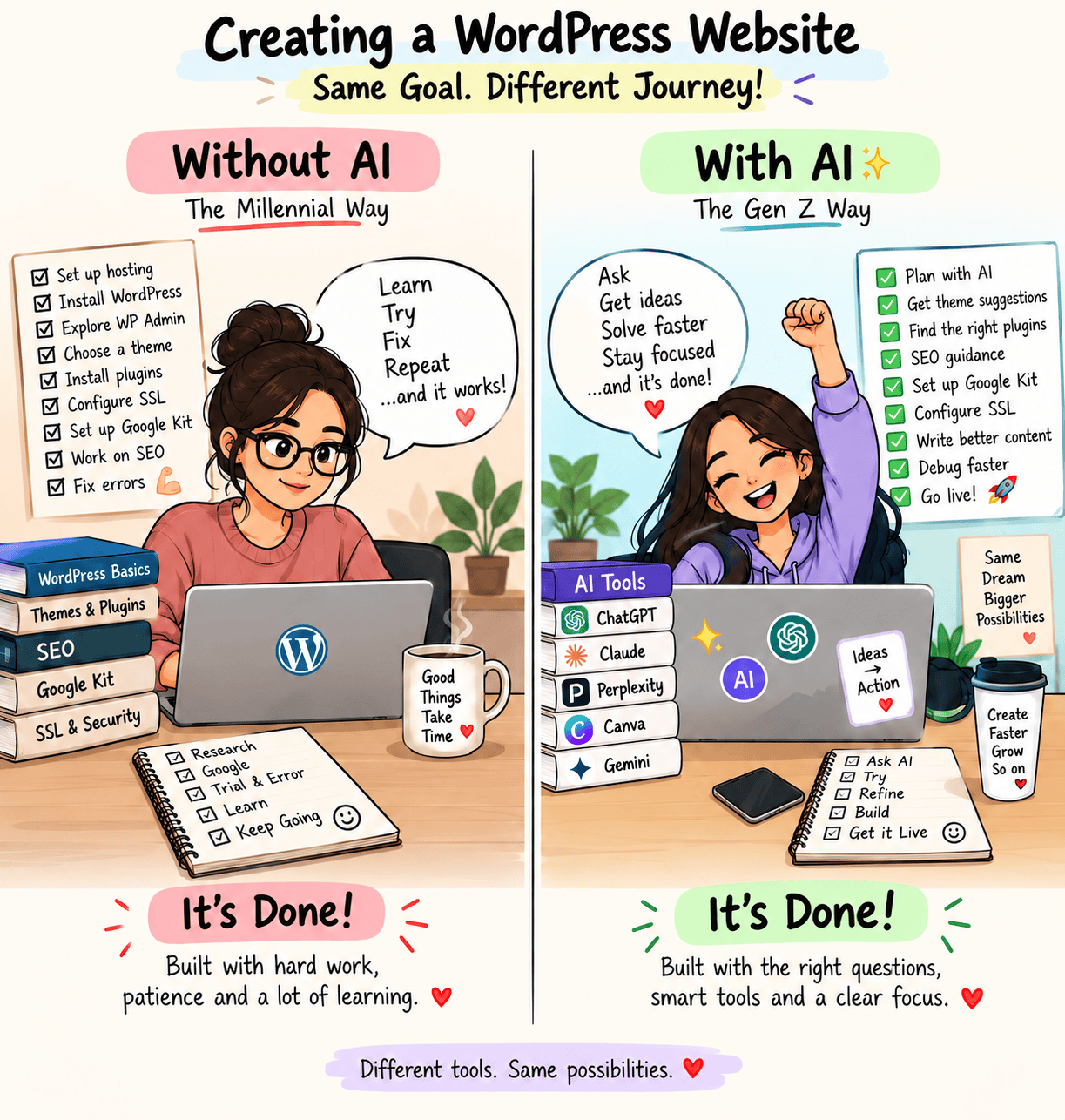
Running a website is not just writing a blog and clicking publish. Millennials didn’t had the liberty like GenZ now, everything is just at a click of a button.
Over time, I found myself working across many different areas:
- WP Admin
- Themes and website design
- Plugins and plugin management
- Blog writing and publishing
- SEO
- Focus keywords
- Meta titles and descriptions
- Featured images
- Image optimisation
- Internal linking
- Categories and tags
- Google Search Console
- Google Analytics
- Indexing and sitemap checks
- Website performance
- Mobile responsiveness
- Broken links and website maintenance
- Website security and backups
- SSL and general site health
I learned most of these things through Google searches, YouTube videos, articles and plenty of trial and error.
That’s how I have been running LR Virtual Classroom.
Then I worked with Mr. Claude
Recently, I decided to redesign the AI Studio Page on my own website using Mr. Claude. Also, some makeup in other pages. That’s it.
Page Speed Insights above 90… My WoW moment!!

Honestly, it was a great way to get my hands dirty with Claude Code.
This is my SYSTEM STARTER PROMPT. Post which I gave many USER PROMPTS.
I want to redesign one blog page on my website hosted on [hosting provider]. Here are the details:

CONNECTION:

SSH command: [redacted]
SSH host/IP: [redacted]
SSH port: [redacted]
SSH username: [redacted]

Site: [staging subdomain] (staging)
Project folder: [staging subfolder path]

CONTEXT:

This is my STAGING site, not the live site.

Do not touch the live website or any files outside the staging project folder.

The website is built on WordPress. I only want to redesign ONE specific blog page for now. Do not make changes to other pages, the overall website design, or global settings unless I specifically ask.

DESIGN GOAL:

I want the blog page to have a clean, modern, lightweight design.

Keep the content as the main focus.

Improve typography, spacing, readability, layout, and mobile responsiveness.

Avoid heavy animations, unnecessary design elements, or anything that makes the page feel cluttered.

Keep the design simple and consistent with the existing website where needed.

TASK:

1. First, connect to the staging server via SSH and inspect how this specific blog page is currently built.

2. Explain what files, templates, styles, or WordPress components are involved before making changes.

3. I will describe the design I want in plain English. I may not always use the correct technical terms, so ask questions if anything is unclear.

4. Do not make changes until I confirm the approach.

5. Make changes only to this specific blog page or its required staging files.

6. After each major change, let me test the page before moving to the next change.

7. Check the redesigned page on desktop, laptop, tablet, and mobile.

8. Fix any layout, spacing, responsiveness, or readability issues related to this page.

IMPORTANT:

Always confirm with me before running any command that deletes or overwrites files.

Do not touch the live website or other pages.

Do not make global WordPress, theme, plugin, or website-wide changes unless they are absolutely required and I approve them first.

If editing an existing file, back up the original before making changes.

Work one step at a time and explain what you are changing in simple language.
What took me weeks earlier…
There is a big difference between searching for how to do something and actually doing it.
Earlier, some website feature changes could take me nearly two weeks.
Search. Read. Watch videos. Try something. Fix something. Search again.
This time, I could explain the actual problem to Mr. Claude and work through it directly.
What earlier took me 3 hrs in 2020 for designing a blog page, took around 30 mins in 2026.
What I really learned
The biggest difference wasn’t just the redesigned pages. It was the experience.
LR Virtual Classroom was already something I had been managing manually for years since 2020.
It is the best decision I made to start this portfolio in 2020, and now going forward, managing is going to be easy.
My own website. Real pages. Real content. Real ideas. Mr. Claude, my Designer.
Discover more from LR Virtual Classroom
Subscribe to get the latest posts sent to your email.