
Relationships are defined between tables through primary and foreign keys. This is the important part of data modeling.
As soon as you import the data, one of the major step is to define the relationship between the tables to further perform calculations & analysis.
Relationships between tables are formed when you have primary and foreign keys common between different tables.
- Primary keys is the column field that identifies each unique, non-null data row. The key to note is that it doesn’t repeat and is useful in identifying a unique record.
- Foreign keys are referencing columns in two different tables. It helps you to identify a record in another table. This key may or may not be unique in nature.
What is Cardinality?
Cardinality is defined as the number of relations from one table to another table. There are mainly 3 types of cardinality in a table.
- One to One Cardinality – One column field attribute creates only one connection with another field.
- One to Many Cardinality – One column field creates multiple connections with another column field in another table. It creates multiple links.
- Many to Many Cardinality – Multiple from one table creates multiple relations with other tables. In the above tables, the entity (Porsche, Porsche) from Table 1 (Name) creates multiple links with the entity (Model1, Model1) on Table 2 (Model).
Fact Table vs Dimension Table:
It is important to know what the Fact and Dimension table means in Power BI before getting to know about the different types of Joins. This will help in selecting the right kind of join.
Let’s assume you have three kinds of tables as Calendar table, Sales table and Order table. The calendar table is defined as a dimension table where it has relationship with both order and sales table in terms of dates. The Sales and Order tables are called as Fact tables.
Fact tables contain observational data. Dimension tables contain information about specific entities within the data.
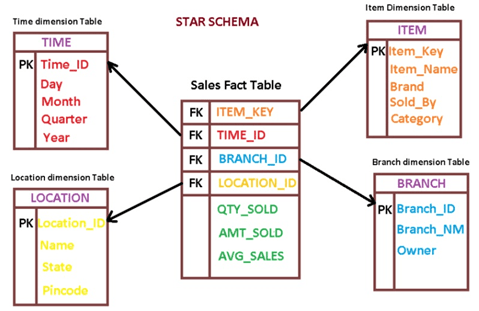
Different Types of Joins:
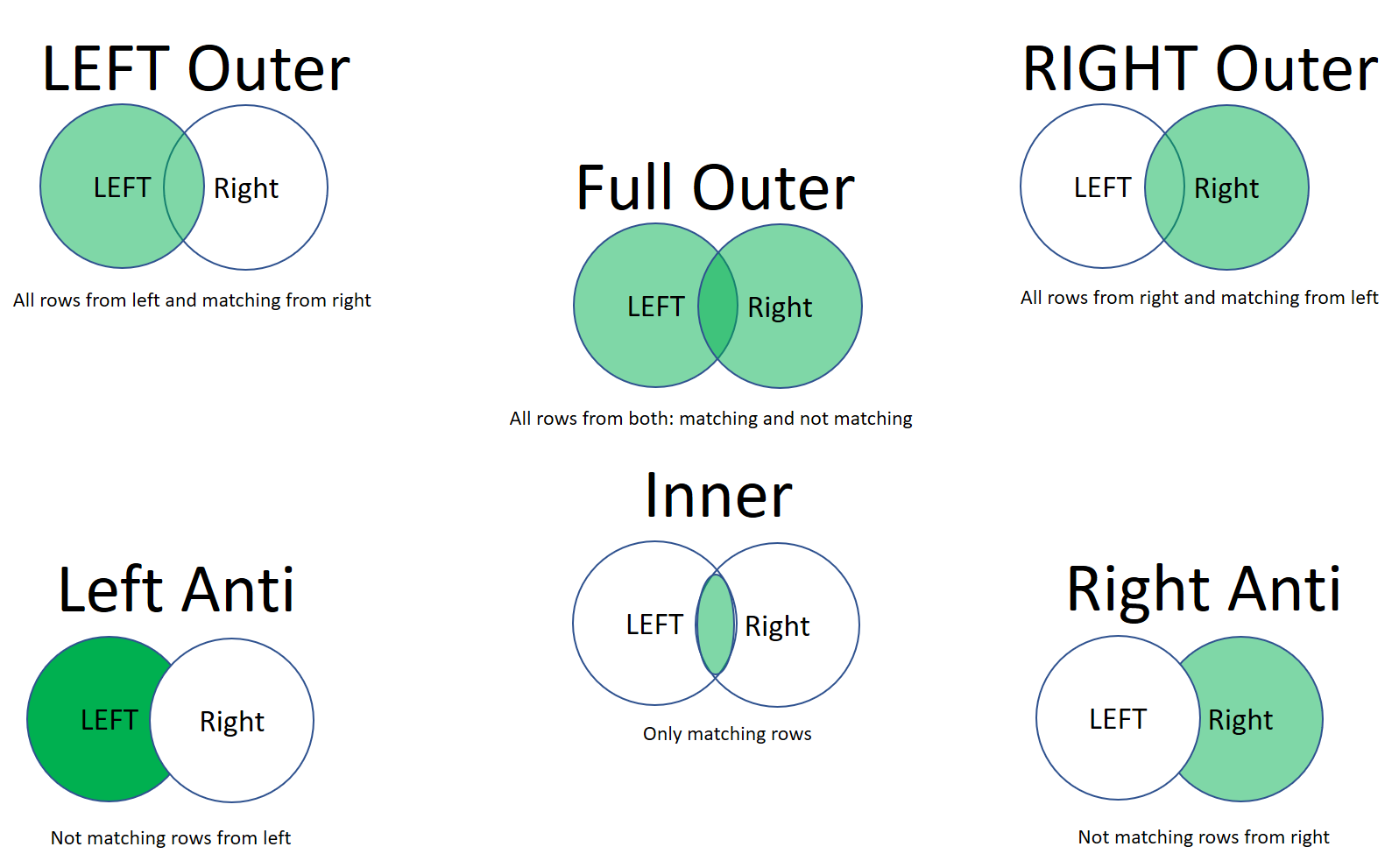
•Left Outer – Displays all rows from the first table and only the matching rows from the second.
•Full Outer Join – Displays all rows from both tables.
•Inner Join – Displays the matched rows between the two tables.
•Right Outer Join – The right outer join returns all rows from the second table and selects the matching rows from the first table.
•Left Anti Join – This join type returns those rows that are only contained in the first table.
•Right Anti Join – This join type only returns those rows that are only contained in the second table.
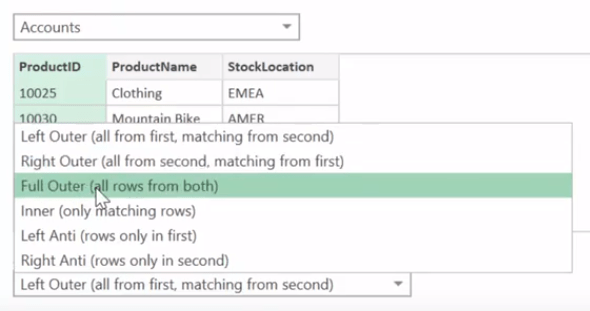
Don’t forget to select the common field (key) in both the tables while using merge function!
Hope you found the post informative. Your valuable feedback, question, or comments about this post are always welcome by leaving me message on contact form is truly appreciated.
Discover more from LR Virtual Classroom
Subscribe to get the latest posts sent to your email.
 LR Virtual Classroom