
I’m sure you might be using these Tit-Bits in Excel! A sudden thought triggered to compile all the interesting features and information about Excel as and when I come across so that it will be etched in my mind forever. Let’s get started to learn together.
1. Must have options enabled in Quick access toolbar. This is very handy while working in excel.
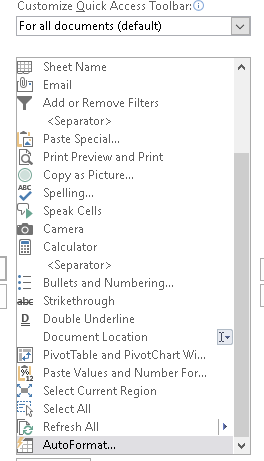
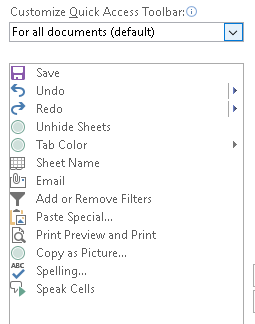
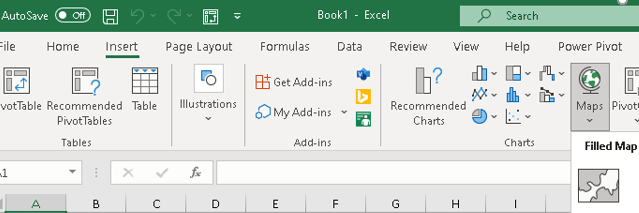
2. Filled Maps – An interesting feature added in Excel 2016. Filled maps – Insert-Maps-Filled maps- 2016 feature
3. If you want to hide any cell values, then change the format of the cell under custom option as “;;;”.
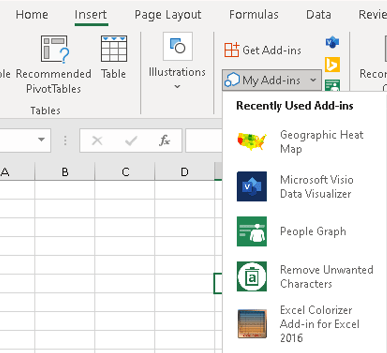
4. Free Excel Add-ins – Don’t forget to explore the free Excel Add-ins. You can find them under Insert menu- Get Add-ins. Check out this post for Top Excel Add-ins.
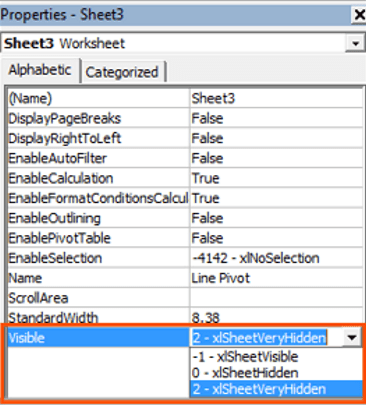
5. Hide Working sheets in Excel: A powerful feature to hide the unwanted excel sheets. I’m not talking about Hide/Unhide option in the excel. This will hide completely so that only the author of the report can access it. Press Alt + F11, Visual Basic window opens, select very hidden from the option.
6. Must Know Excel Shortcuts:
- 1) To enable Filter: Ctrl + Shift + L
- 2) To select entire row: Shift + spacebar
- 3) To select entire column: Ctrl + Spacebar
- 4) to strikeover any cell: Ctrl + 5
- 5) To select all the data/ region around the cursor/active cell: Ctrl + Shift *
- 6) To insert new row/column: Ctrl + Shift + “+”
- 7) To insert hyperlink in cell: Ctrl + K
- 8) To open Find & Replace dialog box: Ctrl + F ; Ctrl + H
- 9) To insert new worksheet: Shift + Fn + F11
- 10) To edit selected cell: F2
- 11) To move between worksheets in the same Excel File: Ctrl + Pgup/PgDn
- 12) To format numbers with comma’s and two decimal places: Ctrl + Shift + !
- 13) To format numbers in currency format: Ctrl + Shift + $
- 14) To format number in percent format: Ctrl + Shift + %
- 15) To delete a row/column: Ctrl + “-“
7. Sum Across Multiple Sheets: Type out the start of your sum formula =SUM( Then left click on the Jan sheet with the mouse. Hold Shift key and left click on the Dec sheet. Now select the cell C3 in the Dec sheet. Add a closing bracket to the formula and press Enter. Your sum formula should now look like this : =SUM(Jan:Dec!C3).
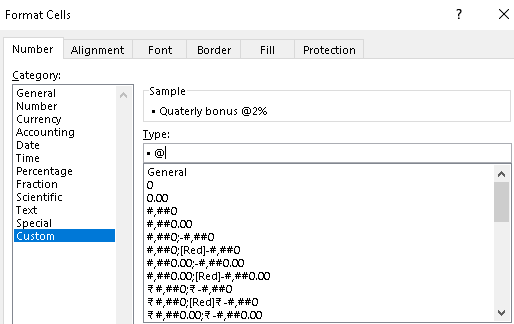
8. Use Bullet list in the Excel: Press Alt + 7 to get the •. Remember press 7 from the numeric pad of the keyboard. Alternatively, you can use format cells: Under custom, press Alt + 7 then type @ to convert the cell into bullet list.
9. To freeze both rows and columns at the same time, I mean, freeze n number of rows and n number of columns, keep the cursor in the active cell between the rows and columns which you want to freeze.
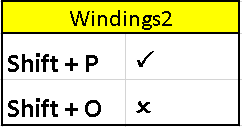
10. To create checklist in excel, use the below signs. Press the keyboard shortcut for CAPS P & O. Then change the font to Windings2.
Discover more from LR Virtual Classroom
Subscribe to get the latest posts sent to your email.
 LR Virtual Classroom