In today’s fast-paced project environments, PMO’s face increasing pressure to communicate effectively across diverse stakeholders.
Traditional static reports are losing relevance in our increasingly digital workplaces. It is clear that there is a need for more engaging, dynamic communication tools.
Enter Microsoft Sway – a hidden gem in the Office 365 suite. It allows users to create interactive reports, presentations, and visual stories.
From a PMO perspective, Sway offers an innovative way to enhance visibility, drive engagement, and streamline reporting.
What is Microsoft Sway?
MS Sway is a cloud-based application designed for creating visually appealing, web-based content without needing advanced design or technical skills.
Think of it as a lightweight, modern alternative to PowerPoint or Word – perfect for storytelling, status updates, dashboards, and reports.
Sway offers drag-and-drop simplicity. It integrates seamlessly across the Microsoft ecosystem. Its responsive design looks great on any device. These features make Sway a natural fit for project teams. They need to present complex information in a digestible and engaging way.

Why PMOs Need Smarter Communication Tools
PMOs are the central hub for project governance, reporting, and best practices. PMOs are responsible for risk management, resource allocation, stakeholder communication, and portfolio oversight.
The ability to communicate clearly, consistently, and visually is no longer a nice-to-have – it’s a necessity.
Traditional reporting methods (static decks, spreadsheets, or PDFs) often fall short in today’s hybrid work environments. They’re time-consuming to update, difficult to distribute, and often ignored by busy stakeholders.

PMOs need tools that make reporting simpler, faster, and more engaging – and Sway delivers exactly that.
How PMOs Can Leverage MS Sway
1. Centralized and Interactive Reporting
PMOs can use Sway to consolidate project updates, KPIs, financials, and resource data into a single interactive report. With Office 365 integration, it’s easy to embed live content from Excel, Power BI, and SharePoint.
This means less time compiling updates and more time analyzing data – plus stakeholders always have access to the most current information.
2. Dynamic Dashboards and Status Updates
Forget static slide decks – Sway lets PMOs create scrollable, web-based dashboards that bring projects to life. Embed project timelines, burndown charts, risk registers, or milestone trackers.
Users can interact with the content directly, diving into the sections most relevant to them.
This is especially useful for weekly or monthly project updates. Each department or executive may want to focus on different aspects of a project.
3. Sharing Knowledge and Best Practices
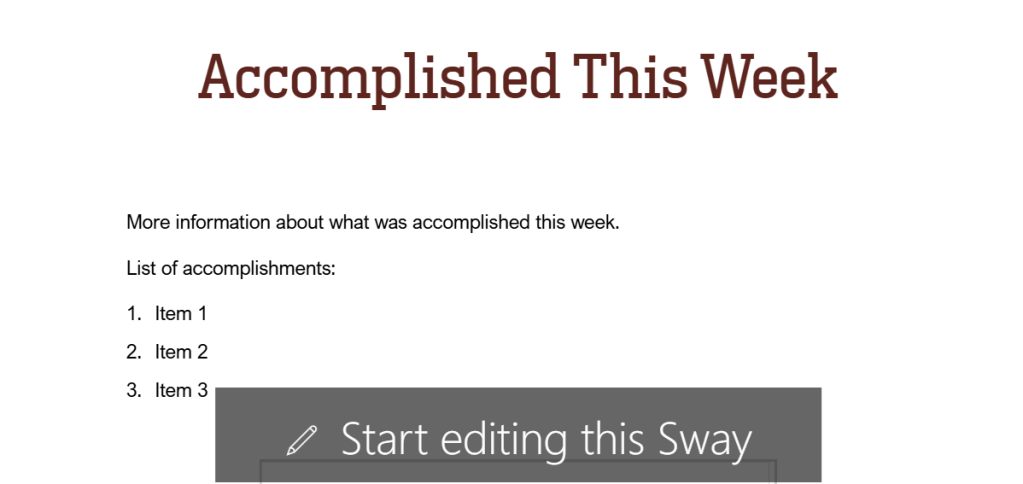
A well-functioning PMO is also a knowledge center. Sway is ideal for documenting methodologies, onboarding guides, governance models, and lessons learned.
Its visual storytelling format helps teams absorb complex frameworks (like PMBOK or Agile practices) more easily than traditional SOPs. Plus, it keeps everything easily accessible via link or embed – no more digging through folders for process documents.
4. Portfolio Summaries and Executive Briefings
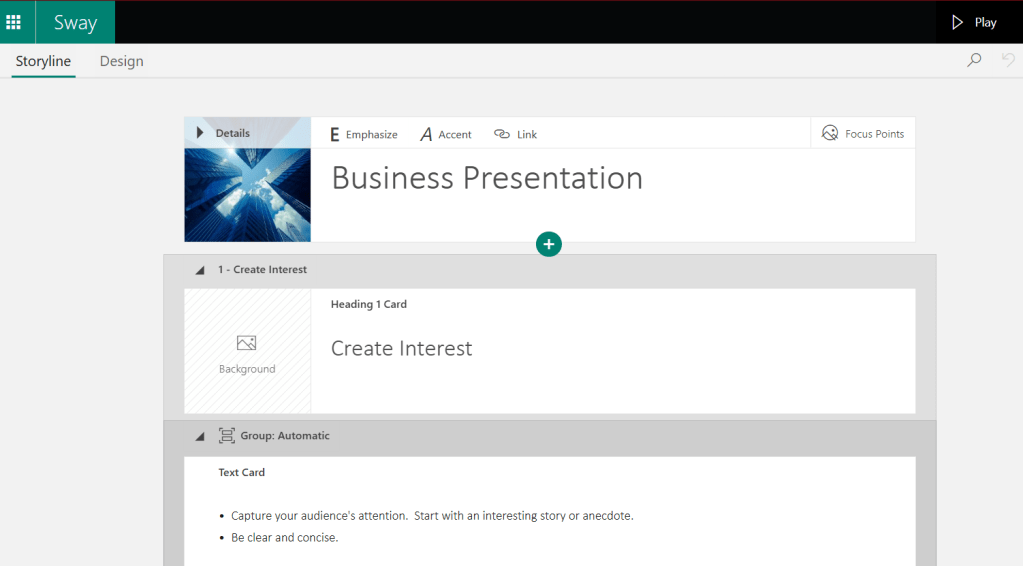
Need to showcase the health of multiple projects in a digestible way? Use Sway to build portfolio-level views with clickable navigation. Executives can scroll through summaries, drill into project-specific data, or jump to charts and visuals as needed.
Sway’s sleek design elevates executive briefings – perfect for steering committees or quarterly portfolio reviews.
5. PMO Newsletters
MS Sway is actually a perfect tool for PMOs to create and distribute newsletters – especially in hybrid or digital-first work environments. It’s visually engaging, mobile-friendly, and easy to update – ideal for keeping stakeholders informed without overwhelming them
Sway provides basic engagement analytics – you can see how many people viewed it and how far they scrolled. This helps you optimize content and format over time based on what stakeholders are actually reading.
Real-World Scenarios: How PMOs Are Using MS Sway
Let’s break down a few real-life applications of Sway in PMO settings:
✅ Executive Project Briefs
One organization used Sway to replace monthly executive project decks. The result? A 40% increase in stakeholder engagement and a significant drop in email follow-ups for clarification.
✅ Team Alignment Updates
Another PMO used Sway for weekly team updates, embedding task lists from Planner and highlights from Jira. Teams could quickly scan progress, blockers, and next steps – without attending another meeting.
✅ Post-Mortem and Lessons Learned
After a major product launch, a PMO created a Sway to document lessons learned, integrating video interviews, survey results, and performance metrics. It became a training asset for future launches.
Best Practices for Using MS Sway in a PMO
- 🔄 Keep it Dynamic: Use embedded data sources like Excel or Power BI for live updates.
- 🎯 Know Your Audience: Customize the content and flow for executives, project managers, or technical teams.
- 📱 Design for Mobile: Sway content is responsive, but test layouts on different devices for best impact.
- 🧩 Standardize Templates: Create reusable Sway templates for weekly reports, project overviews, and governance documents.
- 🔗 Simplify Sharing: Use Sway links in emails, Teams chats, or SharePoint sites to centralize access.
Conclusion: A Modern Tool for the Modern PMO
Microsoft Sway isn’t just another tool – it’s a game-changer for PMOs looking to improve how they report, communicate, and drive engagement. You might be managing a complex project portfolio.
Perhaps you’re trying to keep stakeholders aligned. Either way, Sway offers a fresh, flexible way to present information with clarity and impact.
If your PMO hasn’t explored Sway yet, it’s time to give it a try. You might be surprised how much easier and more effective your project communications can be.
Discover more from LR Virtual Classroom
Subscribe to get the latest posts sent to your email.
 LR Virtual Classroom